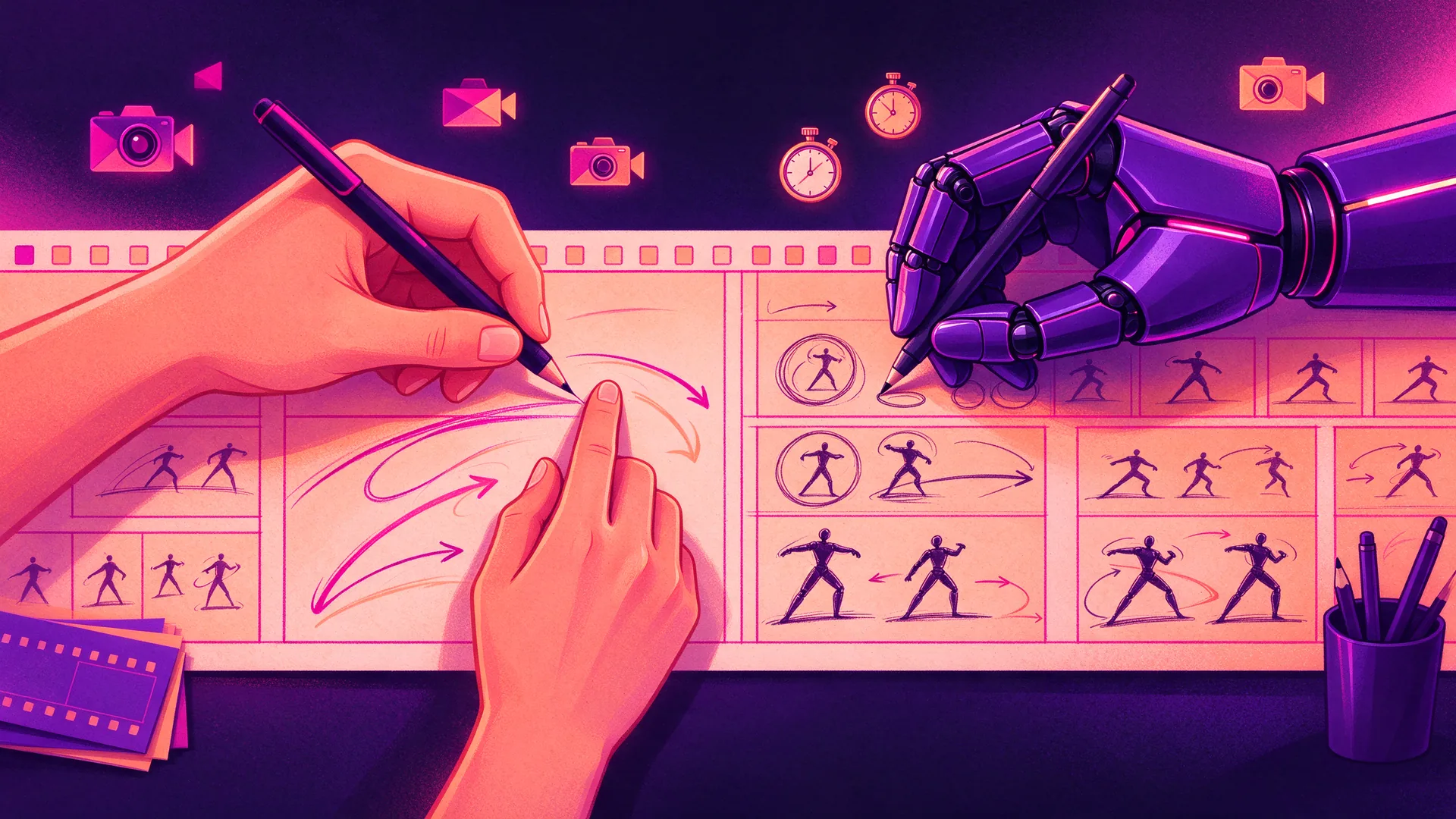
AI animation storyboarding helps you move faster from an idea to a visual plan for your animation. Instead of drawing every scene entirely from scratch, you use AI to explore compositions, key poses, camera angles, and stylistic directions more quickly. This saves time in pre-production and makes choices visible sooner. This is particularly valuable for animation projects with multiple stakeholders, as you gather feedback faster before actual production starts.
However, AI works best as an accelerator, not as a replacement for creative craftsmanship. A good storyboard still revolves around narrative structure, clear shots, rhythm, and brand consistency. That is why many organizations opt for a hybrid approach: AI supports the storyboarding process, while creators retain control over the content. This way, you gain speed without compromising on quality.

With AI animation storyboarding, you use artificial intelligence to accelerate parts of the storyboarding process. Think of generating initial direction shots based on a script, trying out different compositions per shot, or creating quick variations in style and camera angle. Instead of just describing textually what needs to be done, you convert ideas into visual panels faster.
For animation, this is particularly interesting because a storyboard does more than just show scenes. It also lays the foundation for timing, transitions, image hierarchy, and the visual logic of the story. AI can help speed up that initial translation, but a storyboard only becomes strong when the shots are also substantively correct. A randomly generated image is not yet a usable animation plan.
The practical application of AI therefore lies primarily in the preparatory work:
In this way, AI becomes a smart assistant in pre-production, while the creative choices remain with the team.
The greatest benefit of AI in storyboarding lies in speed and visibility. Ideas that normally remain abstract for a long time become concrete sooner. Especially with explainer animations, product animations, or branded content, this helps to show how a scene will work more quickly. This simplifies internal coordination and prevents costly adjustments later in the process.
Additionally, AI lowers the barrier to exploring multiple directions. While traditional storyboards are sometimes limited to a single initial draft, AI allows you to create variations more quickly. For example, a close-up scene versus a wide shot, or a minimalist style versus a more dynamic composition. This provides better input for creative choices.
Key benefits of AI for animation storyboarding are:
At the same time, it is true that AI is primarily strong at accelerating, not automatically at choosing. The best outcome is achieved when someone with storyboard experience determines which images work narratively and which appear merely visually interesting.
Anyone searching for "how to create a storyboard in AI" is usually not looking for theory, but for a workable workflow. The core is simple: don't start with images, but with story and shot logic. Only then do you use AI as a tool to visualize scenes faster.
An AI storyboard generator works best when the input is clear. First, divide your story into separate scenes or shots. For each shot, describe what the viewer sees, the goal of the scene, and the central action. Without this foundation, you will mainly generate visuals that look nice but contribute little to the animation. A practical tool for this is an AI animation briefing template, which allows you to prepare prompts, script, and scenes in a structured way.
Choose the desired style in advance: sleek and businesslike, playful and illustrative, realistic, 3D-like, or sketchy. For storyboards, a simple visual style often works better than high-end imagery, because the focus remains on composition and narrative direction. This aligns with what you also see in the SERP: lo-fi and grid-based storyboards are often more functional than overly detailed images. Capture the chosen look in a style frameso that AI generations remain consistent with the storyboard.
Use AI to explore multiple directions per shot. Allow it to vary camera angle, framing, sequence, or pose. This way, you gain faster insight into what works visually. Think, for example, of an introduction shot, a detail shot of an action, and a final shot with a clear call-to-action or summary image.
A good storyboard does not consist of only pictures. Always add short notes to each panel, such as:
This transforms a standalone image sequence into a usable production tool.
For animation, the step from storyboard to animatic very valuable. By timing storyboard panels and combining them with a temporary AI voice or scratch voice, you can hear and see if the rhythm is right. You discover more quickly where scenes are too long, where information is missing, or where more visual focus is needed.
The final step is always human refinement. Check if characters are consistent, if the branding is correct, and if every scene logically connects to the next in terms of content. What makes AI fast still needs to be sharpened into a storyboard that animators can actually work with.
The top results often treat this subject too superficially, even though it is precisely the core. A usable storyboard must contain more than just a series of generated shots. For animation, you want every panel to say something, both visually and productionally.
| Element | Why it is important |
|---|---|
| Shot number | Keep the order clear and make feedback concrete |
| Visual of the shot | Show composition, subject, and focus |
| Action description | Describes what happens in the shot |
| Voice-over or dialogue | Connects image and text content |
| Camera angle or movement | Makes the cinematic intention clear |
| Duration or timing | Helps with pacing and setup of the animatic |
| Comments for animation | Provides direction for transitions, effects, or emphasis |
This extra layer is particularly important for AI-based storyboards. An AI tool can certainly suggest an attractive frame, but it cannot automatically determine why that frame is needed at that moment in the story. That remains human work.
Anyone searching for the best AI storyboard generator is usually looking for a tool comparison. There is no single best solution for everyone. The right choice depends on your goal: rapid concept exploration, team collaboration, script-to-shot workflow, or a simple stepping stone to an animatic.
These tools are handy if you want to quickly create style directions, compositions, and mood images based on prompts. They are particularly suitable in the early concept phase, when you still want to test multiple directions.
Platforms like Canva are often chosen because they are accessible and make collaboration simple. They are less specialized in cinematic details, but practical for teams that want to quickly combine panels, text, and feedback in one environment.
More specialized AI storyboard generators target filmmakers and animators. These tools more often offer options for shot lists, camera instructions, character consistency, and sometimes even an initial animatic-style preview. This is particularly interesting if you want to work from idea to screenplay and shot list in minutes, without losing control of the content.
Classic tools also remain relevant. Sometimes the smartest workflow is a combination: AI for quick visual concepts and a storyboard tool or design environment for the final execution. This way, you retain the benefits of AI but avoid getting bogged down in inconsistent output.
AI storyboarding works particularly well in phases where speed, variety, and early visualization are important. It is ideal for making rough ideas tangible, exploring alternative shots, and making timing concepts visible more quickly. For organizations that want to explain complex information clearly, this can save a lot of time in pre-production.
There are also clear limits. AI struggles with strict brand monitoring, recurring characters, precise visual logic between consecutive shots, and subtle narrative choices. Especially in animations where clarity is crucial, such as in SaaS, technology, industry, or healthcare, you do not want to rely on visuals that are only approximately correct.
So use AI primarily for:
And be more restrained with:
The most effective way to use AI for animation storyboarding is a hybrid approach. This involves deploying AI where it speeds up the process, while creative direction, storytelling, and quality control remain with experienced creators. This also aligns well with how professional animation studios work with AI: not as a replacement for the process, but as a smart accelerator within the process.
In practice, that means, for example:
This way, the storyboard remains usable for the next phase in production. After all, the goal is not to collect as many AI images as possible, but to get an animation prepared better and faster.
Make complex information clear, understandable, and convincing
For professional productions, AI storyboarding is particularly interesting as part of a larger process. Especially with custom animations, you want the storyboard and animatic to logically align with the script, style development, and final production. Standalone AI output without process coordination rarely yields the best outcome.
A professional workflow usually looks like this:
For organizations in tech, healthcare, finance, retail, or industry, this is especially important. In these sectors, a storyboard must not only look good but, above all, be factually accurate and simplify complex information without introducing errors.
Ultimately, that question revolves around selection and control. The best way to use AI for animation is not by blindly automating the entire process, but by deploying AI on tasks where speed is more important than perfection. Think of brainstorming, generating variants, and timing testing. The closer you get to the final production, the more important human choices become.
Practical guidelines:
That way, you benefit from the efficiency of AI without your animation becoming generic or disjointed.

Is your question not listed? Feel free to ask.
Ask your questionThe best AI storyboard generator depends on your goal. For quick style exploration, image generation tools are useful; for collaboration, online design tools often work better; and for script-to-shot workflows, specialized storyboard platforms are more suitable. In practice, the best solution is often a combination of tools, not a single tool.
Start with a script or scene summary, break down the story into shots, determine the desired style, and then generate visual variations for each shot. Next, add notes regarding action, voice-over, camera angle, and timing. Manually refine the best version into a storyboard that is technically sound from a production perspective.
AI can be used in animation for concepting, storyboard variations, style research, key poses, temporary voice-over, and quick timing tests. It works particularly well in pre-production. For final motion, brand monitoring, and content precision, human direction remains essential.
With free tools, you can experiment with AI-generated visuals, voice-over, and simple video structure. For professional animations, free solutions are usually limited in control, consistency, and quality. They are useful for testing and proof of concept, but less suitable for custom productions with a serious brand or communication objective.
AI can assist with elements of an animatic, such as temporary visuals, scene sequence, and scratch voice. Its true power lies in quickly testing timing and rhythm. For a convincing animatic, shots and transitions usually still need to be refined manually.
Yes, especially with explainer animations, AI can save a lot of time in pre-production. It makes abstract information visual sooner and helps to check more quickly whether a scene is understandable. However, the content must always be checked, certainly in complex sectors.
Yes, AI can also be useful for 3D animation. It helps with shot planning, key poses, camera angles, and timing tests. Even in 3D, the storyboard remains an important intermediate step to clarify the story and scene structure before production begins. For specific tips and points to consider, see Storyboarding for 3D animation.
Because this approach combines the best of both worlds: the speed of AI and the quality of human direction. You can explore variants faster while still maintaining control over story, brand style, consistency, and production quality. Those who prefer to outsource this can also opt to have AI animation created within a professional process.

Whether it concerns an ambition, product, process, technology, or idea: we make visible what makes it special and translate it into imagery that is clear, convincing, and impossible to ignore.